MyNSFAS Login & Account
NSFAS Wallet Explained – How Students Access Their Allowances
The NSFAS Wallet is a cellphone-based way for some NSFAS-funded students to receive and use allowances, without a traditional bank account. Payment systems have changed, so students may be on different systems depending on institution type, cohort, and arrangements when funded. Always confirm your payment route in myNSFAS and with your institution, rather than assuming it matches another student's.
What the NSFAS Wallet Is
The NSFAS Wallet is a digital wallet linked to your registered cellphone number. When NSFAS creates it, you are notified by message and asked to verify it; once verified, allowances such as food, transport, and living support can be loaded. It works on basic cellphones and smartphones through menus and messages, not a banking app or branch visit, so a student without a bank account can still receive allowances, check a balance, withdraw cash, or pay at a registered merchant. It is not a bank account, your myNSFAS login, or an accommodation payment, which usually goes directly to your institution or provider.
Wallet, Bank Account, and Card: Which Route Applies to You
NSFAS payment methods have not stayed the same for every student. More recently, NSFAS has introduced bank account and card arrangements through appointed providers, paying allowances into an account linked to a card for purchases and withdrawals. You may therefore hear three different experiences: a cellphone wallet, a bank account with a card, or payment through an institution. Only your own funding record's route matters, so if unsure, check myNSFAS and ask your financial aid office to confirm your payment method, provider if any, and balance-check route.
How a Wallet Account Is Created and Verified
A wallet account is normally created once funding is confirmed and allowances are ready to be paid. You should receive a welcome message advising you to verify it; that message, with the instructions in myNSFAS, is your authority for the verification steps. Verification generally means confirming your identity using your linked cellphone number and the identity details on your record. This guide deliberately gives no mobile code or menu sequence, because codes change and unofficial guides disagree. Use the code and steps on the official website or in your welcome message; if they do not match, ask your financial aid office first. Keep your registered cellphone number active and in your possession: losing it, or changing it without updating NSFAS, can block allowances.
Withdrawing Cash and Paying at Merchants
Once verified and funded, you can withdraw cash or pay directly at a registered merchant. Cash withdrawals are usually made at participating stores, by generating a voucher in the wallet menu or platform and presenting it at the till. Merchant payments work similarly, up to your available balance. Withdrawals may be subject to a daily retailer or provider limit, and limits and voucher fees vary, so check current terms in your wallet platform or with your institution before a large withdrawal. A voucher is usually valid only briefly, so generate it when ready to use it, and confirm a merchant is registered before relying on wallet payment.
| Wallet use | How it works | What to check first |
|---|---|---|
| Cash withdrawal | Generate a voucher; present it at a participating retailer | Voucher validity; retailer's daily limit |
| Pay at a merchant | Pay at a registered store or campus merchant | Branch registered; available balance |
| Check a balance | Official wallet menu or platform for your registered number | Platform directed by NSFAS or your institution |
Checking Your Balance and Tracking Spending
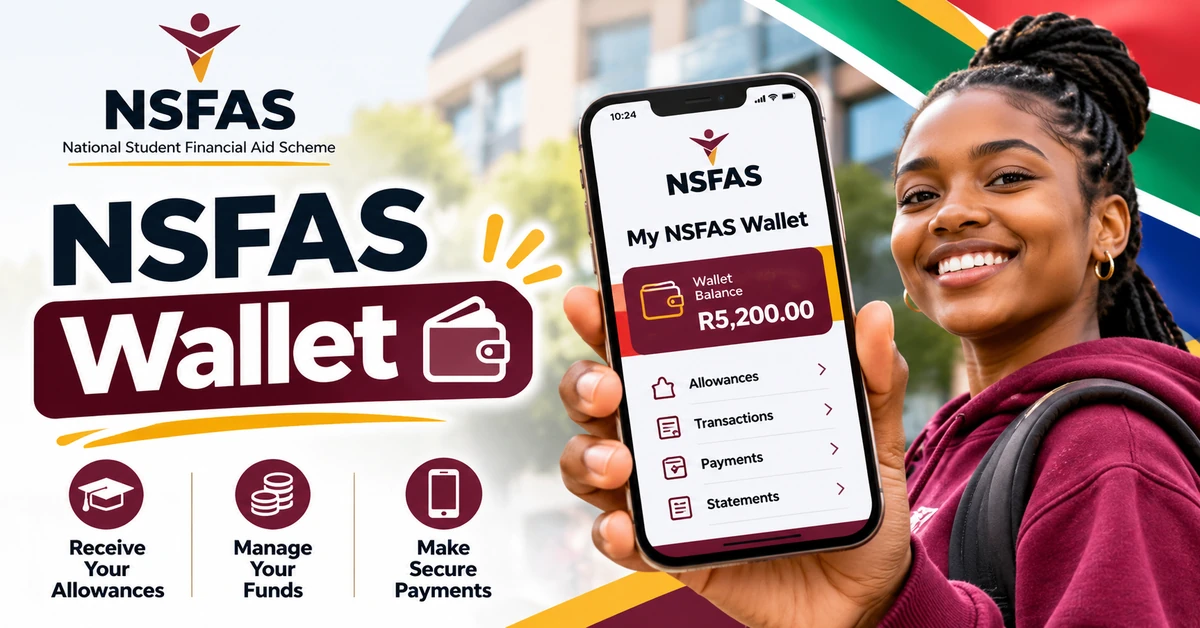
Check your balance through the official wallet menu or platform, using the cellphone number and credentials linked to your wallet. Track spending simply: note each payment, what it is for, and what you spend it on. Allowances are paid over the academic year, usually monthly rather than as a lump sum, so spending a whole month's living support in the first week leaves a gap NSFAS will not fill early. If your balance does not match expectations, your spending record helps support identify a missing payment, a voucher used, or a forgotten purchase. Keep payment and voucher messages until the transaction is complete, and share voucher details with no one else.
Keeping Your Wallet Safe
Your wallet is only as safe as your phone and personal identification number. Choose a non-obvious number, and never share it with friends, family, or anyone claiming to be from NSFAS: NSFAS will not ask for your wallet number or password by phone, message, email, or social media. If your phone is lost or stolen, act quickly: contact your financial aid office and the official support channel for your route, and follow their instructions. If your cellphone number changes, update NSFAS officially and confirm the wallet link is updated before the next payment. Be wary of messages claiming your wallet is blocked, that urgent verification through a link is required, or that a fee releases allowances; those are common scam patterns, and genuine instructions come through official NSFAS messages and the official website.
Common Wallet Problems and What to Do
Before contacting support, check funding is confirmed, registration is complete, your wallet is verified, and the linked cellphone number is still yours. Delay can occur if registration data is unmatched, a bursary agreement step is incomplete, or an allowance cycle has not yet run; your financial aid office can check those points. A voucher that does not work is often a timing or merchant problem: check it has not expired, the merchant is registered, and the amount does not exceed your balance. A wrong-looking balance usually has a simple explanation once transactions are reviewed, such as a voucher already generated, a merchant payment made, or a payment not yet loaded. Review your transaction history, report any unrecognised transaction promptly, and if you move payment routes, confirm the change in writing, including its effective date and what happens to any old-wallet balance.
Budgeting With a Wallet Allowance
Easy access also means easy spending, so plan around the allowances you actually receive, not what you hope to receive. Mentally separate food, transport, and study costs, and set aside campus transport before spending on non-essentials. Avoid withdrawing your full balance as cash on arrival: cash is harder to track and easier to spend without noticing. Withdraw only what you need for the next few days, pay directly at registered merchants where you can, and record each withdrawal. If allowances do not stretch to month-end, speak to student support services early: they can advise on budgeting help, food support, and other campus services.
Frequently Asked Questions
What is the NSFAS Wallet? It is a cellphone-based digital wallet linked to your registered cellphone number, used by some NSFAS-funded students to receive and spend personal allowances such as food, transport, and living support.
Do all NSFAS students use a wallet? No. Different students may be on a wallet, a bank account and card route, or an institutional payment route, depending on their institution, cohort, and arrangements in place. Confirm your own route in myNSFAS and with your financial aid office.
How do I activate my wallet? Follow the verification steps in your official welcome message and on the official NSFAS website. This guide does not print a mobile code, because codes change and unofficial guides disagree. If instructions do not match, ask your financial aid office first.
Can I withdraw cash from my wallet? Yes, generally at participating retail stores, by generating a voucher through the wallet menu or platform and presenting it at the till, subject to the retailer's limits and the voucher's validity period.
Can I pay directly at shops with my wallet? Yes, at merchants registered with NSFAS, up to your available balance. Confirm that a specific branch is registered before relying on wallet payment there.
What if my allowance has not arrived in my wallet? Check that funding and registration are confirmed in myNSFAS, that your wallet is verified, and that your registered cellphone number is still yours. Then contact your financial aid office with your reference and payment details.
What should I do if my phone is lost or stolen? Act quickly: contact your financial aid office and the official support channel for your payment route, and follow their instructions to protect your wallet. Never share your wallet number with anyone.
Conclusion
The NSFAS Wallet is practical when you know your payment route, how to verify and protect your wallet, and where to check your balance. Next, confirm your position: log in to myNSFAS, check your funding and payment route with your financial aid office if unclear, and follow only the official verification instructions for your wallet.